Please log in to rate this program:
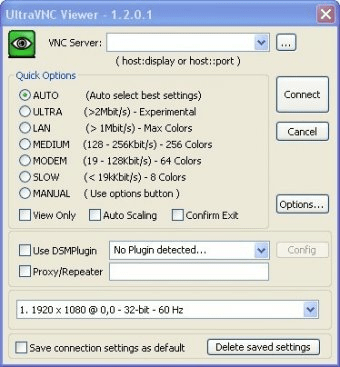
UltraVNC is a remote control application based on the VNC protocol. It allows users to remotely control systems and interact with the remote system as if they were physically there. UltraVNC is divided into 2 applications: UltraVNC Server and UltraVNC Viewer. The former is the program that has to be installed on the computer to be controlled, and the latter, is the client program, which allows users to control PCs with a VNC server installed on them. What is really great about VNC is that even if the remote controlled computer runs on another OS or has a different type of VNC server, the user can control it using UltraVNC viewer. With UltraVNC viewer the user can control the keyboard and mouse of the remote computer, and the possibilities are infinite. One can shutdown, restart, suspend, or hibernate the computer, and can even turn it on (with the use of additional software). This application comes ideally handy when someone needs to be away from home and still perform various tasks or needs to use more than one computer but does not have a monitor and a keyboard/mouse for each one of them. UltraVNC is one of the fastest VNC applications around and boasts superior security features that make it both a handy and secure experience.
Advantages:
- Extremely reliable and stable software.
- It is FREE.
- Multi-platform.
- Plenty of options.
Disadvantages:
- It is a little bit too hard to get it running on Vista.
Reviewed by:
José FernándezReviewer rating:

If you found a mistake in the text, select it and then press Ctrl+Enter
Guest #60948 says 5 months ago #
The Ultra distribution have had strong encryption and
a much improved password handling added to allow use
in non-secure networks.